Habitect
If macOS blocks Habitect
Habitect is not notarized by Apple yet, so the first time you open it macOS may say "Habitect" Not Opened. Click Done, not Move to Bin, then allow it once:
- Open System Settings from the Apple menu, or open it here.
- Click Privacy & Security in the sidebar.
- Scroll down to Security. It says "Habitect" was blocked to protect your Mac.
- Click Open Anyway.
- In the dialog that follows, click Open Anyway again to confirm, and enter your Mac password or use Touch ID.
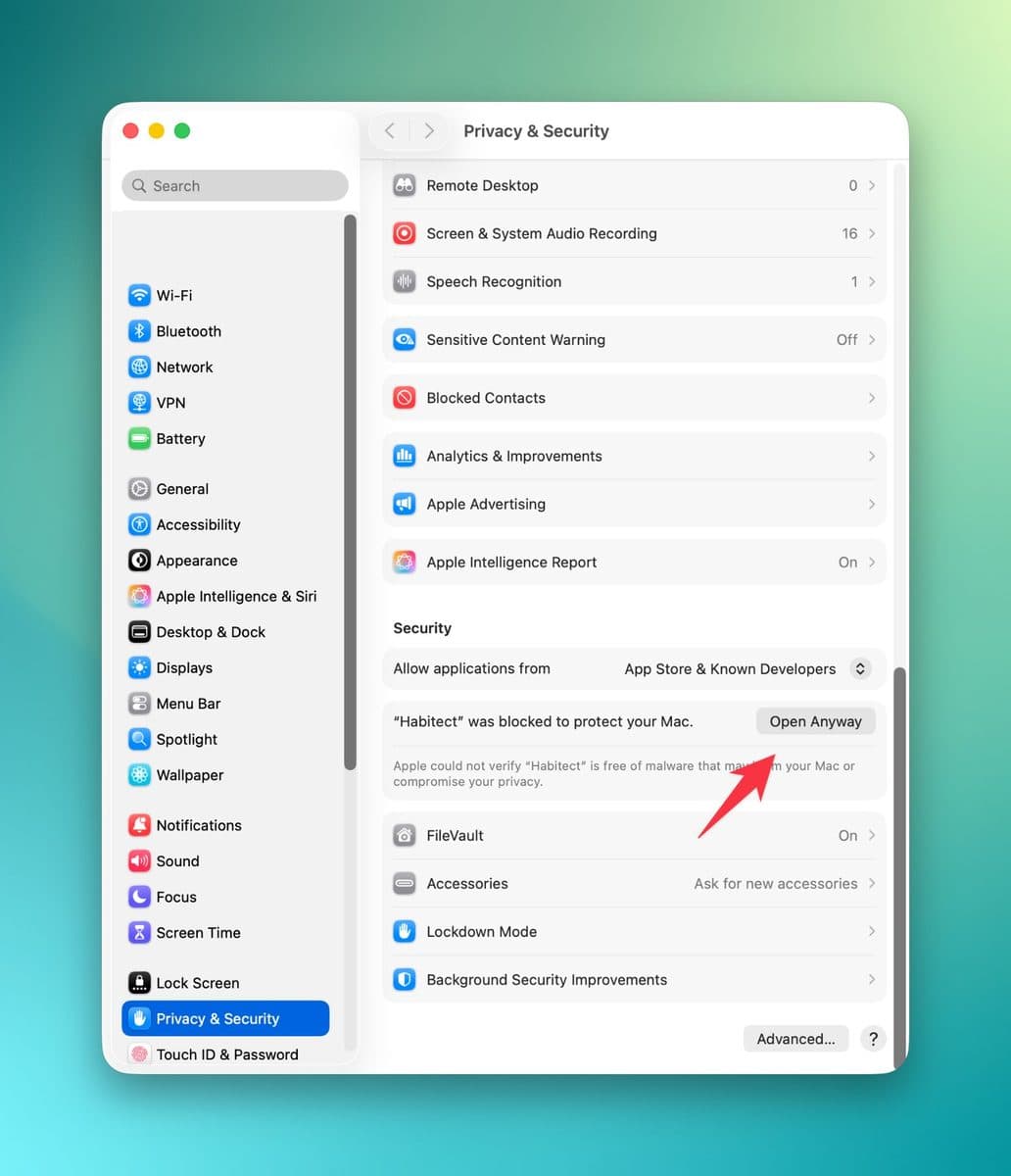
Habitect opens, and from then on it opens like any other app. No Open Anyway button? macOS shows it for about an hour after it blocks the app: open Habitect again, click Done, and come back.